 電気野菜
電気野菜
はじめに
最近Flutterをはじめました.アプリを作っている中でいい感じにTweetをするボタン(FloatingActionButton)を作ったので共有します.多分コピペで少し変えてもらうだけで使えます!
実装
どんな感じか
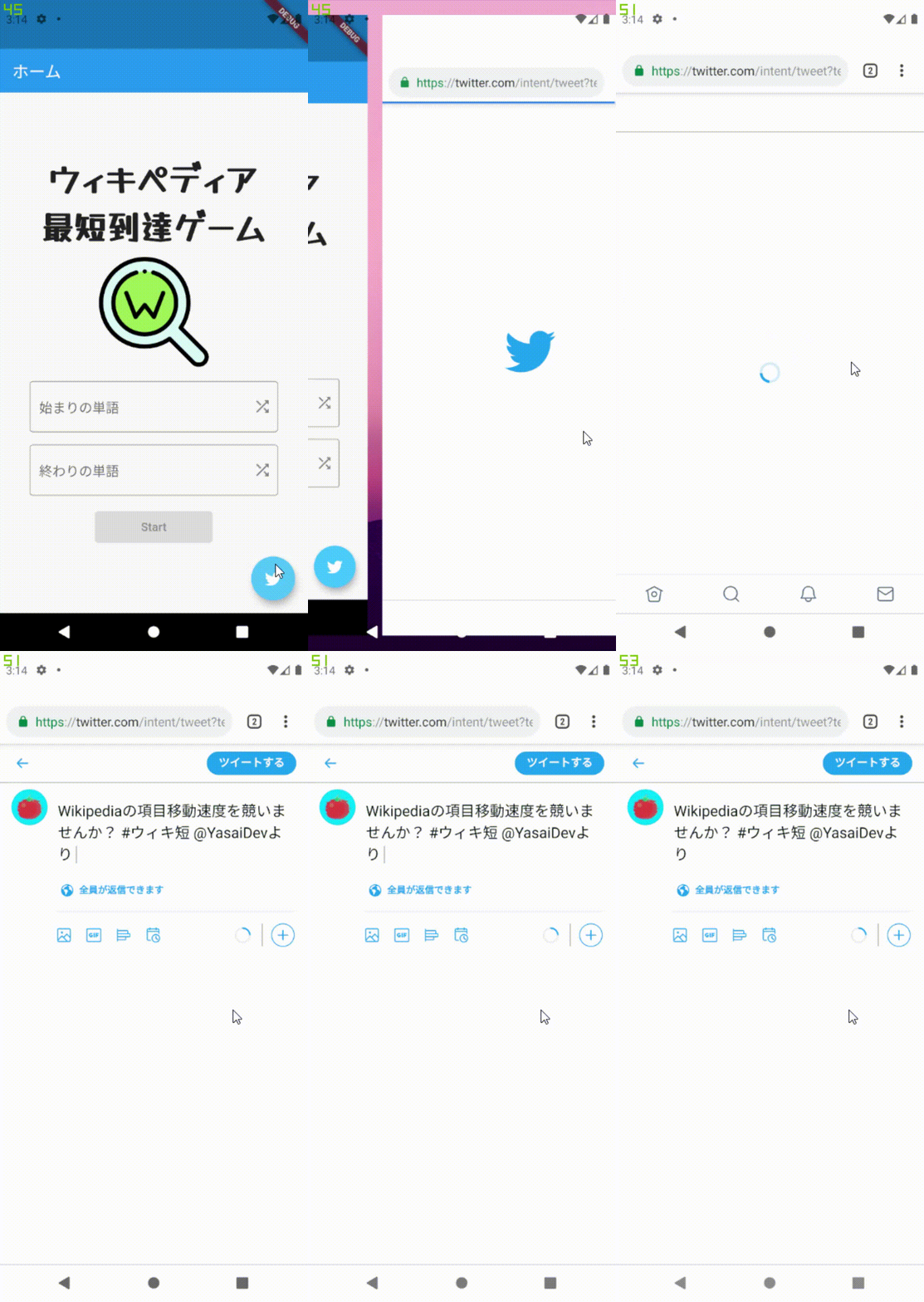
Twitterのスキームでアプリ自体を呼び出すか,Web Intentでツイートをするようにしています.
動作
Twitterアプリが入っていたらアプリでツイート!それ以外はブラウザでツイート!!
    await canLaunch(tweetScheme.toString())
        ? await launch(tweetScheme.toString())
        : await launch(tweetIntentUrl.toString());
構成要素
以下のurl_launcherを使ってURLをOSで開くために使いました.
Twitterアイコンを使うためにMdiアイコンを扱うmaterial_design_icons_flutterを使いました.
コード全体
以下がコードになります.都合上FloatingActionButtonにしてますが,任意のButtonにしても問題なく動きます.
Widget
import 'package:flutter/material.dart';
import 'package:material_design_icons_flutter/material_design_icons_flutter.dart';
import 'package:url_launcher/url_launcher.dart';

class TwitterShareWidget extends StatelessWidget {
  final String text;
  final String url;
  final List<String> hashtags;
  final String via;
  final String related;

  const TwitterShareWidget(
      {Key key,
      @required this.text,
      this.url = "",
      this.hashtags = const [],
      this.via = "",
      this.related = ""})
      : super(key: key);

  void _tweet() async {
    final Map<String, dynamic> tweetQuery = {
      "text": this.text,
      "url": this.url,
      "hashtags": this.hashtags.join(","),
      "via": this.via,
      "related": this.related,
    };

    final Uri tweetScheme =
        Uri(scheme: "twitter", host: "post", queryParameters: tweetQuery);

    final Uri tweetIntentUrl =
        Uri.https("twitter.com", "/intent/tweet", tweetQuery);

    await canLaunch(tweetScheme.toString())
        ? await launch(tweetScheme.toString())
        : await launch(tweetIntentUrl.toString());
  }

  @override
  Widget build(BuildContext context) {
    return FloatingActionButton(
      child: Icon(MdiIcons.twitter),
      backgroundColor: Colors.lightBlueAccent,
      onPressed: () {
        _tweet();
      },
    );
  }
}
Info.plist
以下の辞書を追加して,iosではURLスキーム,特にTwitterスキームを許可しないと公式アプリが開かないので注意.
<key>LSApplicationQueriesSchemes</key>
    <array>
        <string>https</string>
        <string>http</string>
        <string>twitter</string>
    </array>
補足
めっちゃドツボにハマったポイント…



コメント